
Is Windows 11's Built-In Security Enough? A Deep Dive Into Its Protective Powers
For years, the common wisdom has been that third-party antivirus software is a necessity for Windows users. But with Windows 11, Microsoft has ramped up its security measures, challenging the idea that extra protection is required. So, is Windows Security truly enough to keep you safe, or should you still invest in a dedicated antivirus suite? Let’s break it down.
Windows 11's Security Features: More Robust Than Ever
Microsoft has steadily enhanced its built-in protections, bringing Windows Security to a level where it competes with established antivirus solutions. Key components include:
Microsoft Defender Antivirus – A constantly updated malware detection tool that provides real-time scanning and ransomware protection.
SmartScreen – A safeguard against malicious websites and suspicious applications.
Windows Firewall – An essential defense against unauthorized network access.
Application and Exploit Guards – Advanced security layers designed to contain threats before they harm your system.
Credential Guard – Uses virtualization-based security to isolate sensitive data from attackers.
These features work together to provide a solid security foundation, making Windows 11 more resistant to threats than ever.
Is It Enough for Everyday Users?
The short answer: Mostly, yes. Windows Security covers fundamental cybersecurity needs, ensuring that casual users who browse responsibly and avoid risky downloads are well-protected. However, the built-in security does have limitations. Some users may require additional features like:
Stronger identity protection – Premium antivirus software may offer bank and identity monitoring.
Parental controls – More refined and customizable options compared to Windows’ default features.
VPN services – Many security suites bundle VPNs to enhance privacy.
Advanced phishing protection – While SmartScreen helps, dedicated security tools often include extra layers of protection.
The Verdict: Windows Security Is Enough—If You’re Careful
For most users practicing good digital hygiene—avoiding suspicious emails, not visiting shady websites, and keeping software updated—Windows Security should suffice. However, those who want more comprehensive protection or who frequently handle sensitive data may benefit from investing in third-party software.
What do you think? Are you sticking with Windows Security, or do you prefer an extra layer of defense?

Restore, repair, or reinstall Windows quickly with this Windows 10/11 Installation & Repair USB Drive. Built for both UEFI and Legacy (MBR) BIOS systems, this bootable USB includes the latest 64‑bit Windows 10 and Windows 11 installation environments (Home – English only) plus a full suite of professional‑grade PC recovery tools.
Whether you're fixing startup issues, recovering lost data, removing malware, or performing a clean reinstall, this USB gives you everything you need in one convenient toolkit.
🔧 Included Tools & Utilities
Windows 10/11 Installation & Reinstallation Tools
Local Account Password Reset Utility (will not work on bitlocker encrypted drives)
Data Recovery & Backup Tools
Antivirus & Malware Removal Tools
Partition Management & Disk Repair
Hardware Diagnostics & Stress Testing
Driver Utility & Boot Repair Tools
Step‑by‑step boot instructions included
💻 Compatibility
Works with UEFI and Legacy (MBR) BIOS
Supports most desktops and laptops capable of running Windows 10 or 11
USB brand and appearance may vary depending on supplier
⚠️ Important Notes
Product keys are NOT included (available separately)
A valid Windows license may be required for installation
This is a repair and recovery tool, not a license key
👤 Who This Is For
Perfect for:
PC technicians
DIY computer users
Anyone needing a fast, reliable way to repair or reinstall Windows
Users dealing with malware, boot failures, or corrupted system files
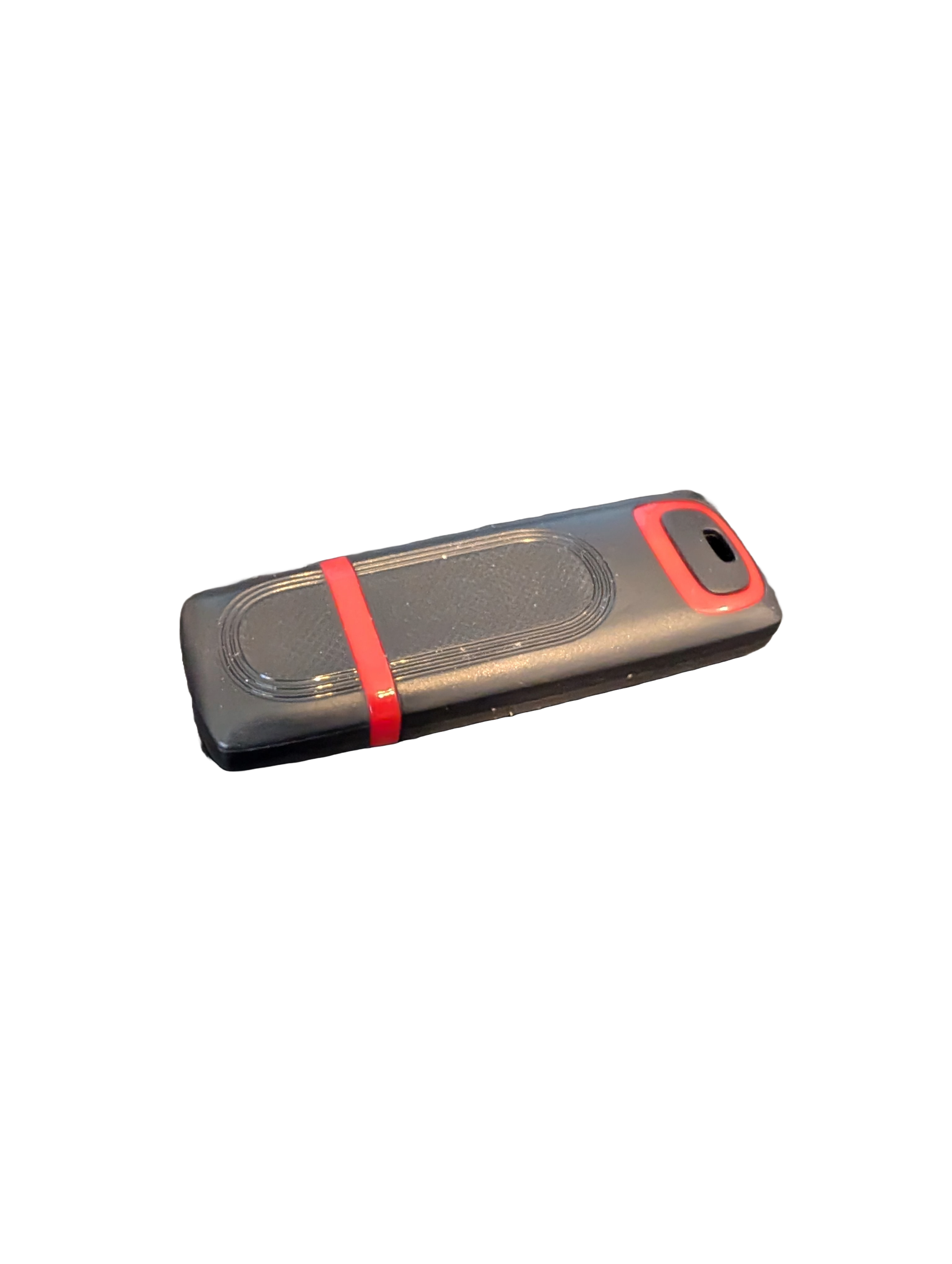
🖥️ Give Your Slow Windows PC a Fresh Boost
This plug‑and‑play Windows Computer Tune‑Up USB Drive is a complete performance‑restoration toolkit for desktops, laptops, and tablets. No installation required — simply plug it in and run the tools directly from the USB.
Perfect for speeding up slow computers, removing junk software, fixing performance issues, and cleaning malware.
🔧 What’s Included (Tools & Utilities)
Your USB drive comes preloaded with a curated suite of essential PC maintenance tools:
Windows manual update utility
Software removal & cleanup tools
Startup optimizer
Virus & malware scan/removal utilities
Disk cleanup utility
Defrag tool
Windows performance tweak utility
Registry cleanup & optimization
Note: USB brand and appearance may vary. Self‑Updating: Tools automatically stay current when connected online.
🚀 Why This Tune‑Up USB Is Better
✔ No installation required
Runs directly from the USB — ideal for damaged or slow systems.
✔ Safe, portable, and beginner‑friendly
Includes step‑by‑step instructions and a full tune‑up checklist.
✔ Works on all modern Windows PCs
Compatible with Windows desktops, laptops, and tablets.
✔ Fixes the most common PC problems
Slow startup, cluttered software, malware infections, lag, freezing, and more.
🛠️ Ideal For
Slow or aging computers
Family PCs that need regular cleanup
Students, home offices, and small businesses
Technicians who want a portable toolkit
📦 What You Get
1× Preloaded Tune‑Up USB Drive
Full instructions + tune‑up checklist
Lifetime updates to included tools